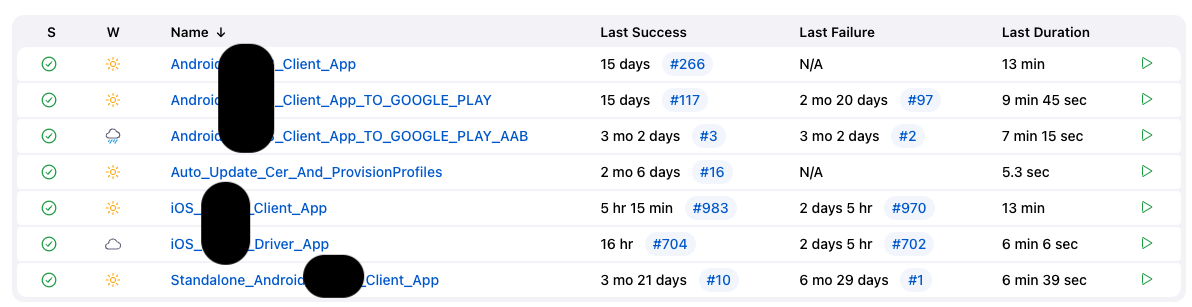
利用上下游的機制,讓管家先生一口氣編好測試&正式環境的 apk 後,除了各自上傳到 ftp 外,再透過 API 送到 play store alpha
原本同事在一台 mbp 上建好一台 jenkins 包 iOS
但要透過遠端控制,覺得應該可以直連 jenkins web service 會更順暢
找了一下發現這邊可以這樣做:
We want the Jenkins web interface to be accessible from anywhere (not just on the local machine),
so we’re going to open up the config file:
sudo nano /usr/local/opt/jenkins-lts/homebrew.mxcl.jenkins-lts.plistFind this line:
<string>--httpListenAddress=127.0.0.1</string>And change it to:
<string>--httpListenAddress=0.0.0.0</string>
搞定 web service 後就來建 android project
原先有看到 pipeline,寫的 scipt 好像很自由,但還沒參透,先用 project
之後再續戰 pipeline
設定好 git repo & Execute shell (就是 gradlew 產 apk 那條)
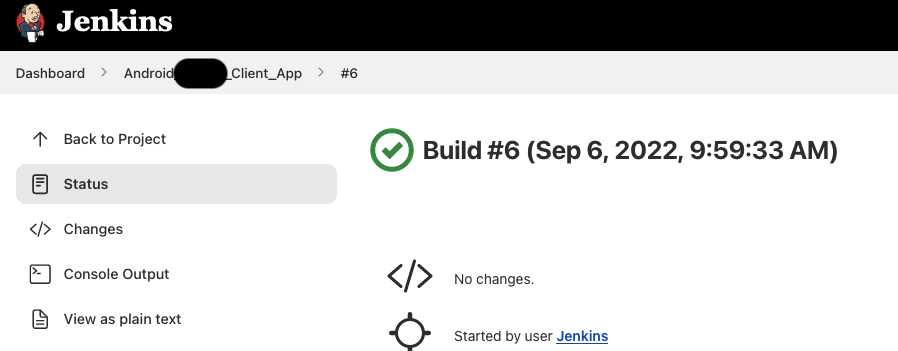
試跑出來成功啦~
add Build Artifacts feature

就跑出載點啦
其實它在 Workspace 下,就跟 IDE 裡面左邊的 project 那樣點一點就看得到
不過可以有傳送門總是比較方便,你說是吧XD
可以加裝 plugin 使用 Gradle Wrapper, 但下指令可以有更多彈性~
目前的需求是要組出上傳到 ftp server 的 apk link, 透過原本的 gradle 在組擋名的時候
順便組 link 印出來在 console log 上方便複製(懶惰萬歲XD)
(更懶可以再接上 slack)
那接下來就要開放選擇口味,要搭配 Jenkins 的變數傳入 build script
參數列表網址:http://your.domain.here:8080/env-vars.html/
先裝外掛
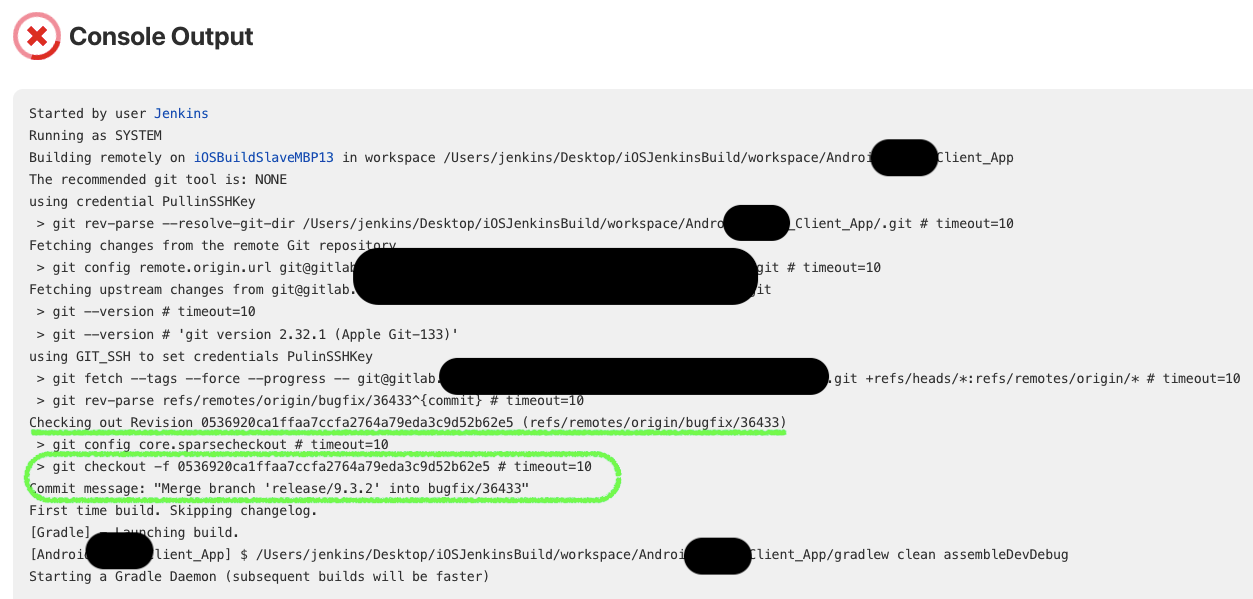
跑的時候看 log 確實 check out 對應的 commit id
接下來要處理的是,把 version code 跟 build number 串在一起,不再以日期為準,而是跟著 build number 跑
同時在打包結束後,打好 tag 送上 repo 也是很便利的
BUILD SUCCESSFUL in 2m 56s
39 actionable tasks: 13 executed, 26 up-to-date
Build step 'Invoke Gradle script' changed build result to SUCCESS
Archiving artifacts
The recommended git tool is: NONE
using credential PullinSSHKey
 > git tag -l 1.2.3 # timeout=10
 > git tag -a -f -m 1.2.3 tag by build number 32 1.2.3 # timeout=10
ERROR: Failed to push tag 1.2.3 to origin
hudson.plugins.git.GitException: Could not apply tag 1.2.3
    at org.jenkinsci.plugins.gitclient.CliGitAPIImpl.tag(CliGitAPIImpl.java:1849)
    ...skip...
    at java.base/java.lang.Thread.run(Thread.java:829)
    Suppressed: hudson.remoting.Channel$CallSiteStackTrace: Remote call to JNLP4-connect connection from localhost/127.0.0.1:49431
        at hudson.remoting.Channel.attachCallSiteStackTrace(Channel.java:1784)
        at hudson.remoting.UserRequest$ExceptionResponse.retrieve(UserRequest.java:356)
        ...skip...
        at hudson.model.ResourceController.execute(ResourceController.java:101)
        at hudson.model.Executor.run(Executor.java:442)
Caused by: hudson.plugins.git.GitException: Command "git tag -a -f -m 1.2.3 tag by build number 32 1.2.3" returned status code 128:
stdout:
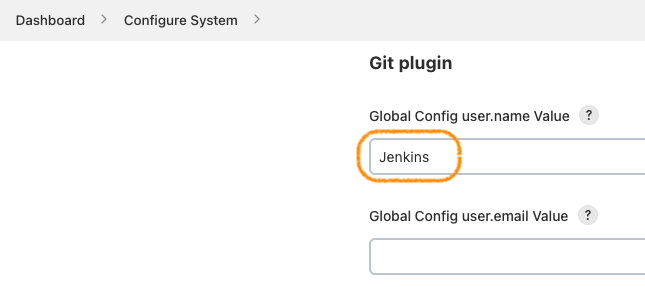
stderr: Committer identity unknown

*** Please tell me who you are.

Run

  git config --global user.email "you@example.com"
  git config --global user.name "Your Name"

to set your account's default identity.
Omit --global to set the identity only in this repository.

fatal: empty ident name (for <>) not allowed

    at org.jenkinsci.plugins.gitclient.CliGitAPIImpl.launchCommandIn(CliGitAPIImpl.java:2671)
    at org.jenkinsci.plugins.gitclient.CliGitAPIImpl.launchCommandIn(CliGitAPIImpl.java:2601)
    ...skip...
    ... 17 more
Build step 'Git Publisher' marked build as failure
Finished: FAILURE
遇到 git ssh 憑證問題
整組呈現
擴充技能:build by git push
set change log parameter for Google Play
set credentials and apk path in Post-build action
set release track and rollout percentage
10:31:31 Upload failed:
10:31:31 - Google Play Android Developer API has not been used in project 544296638860 before or it is disabled.
Enable it by visiting https://console.developers.google.com/apis/api/androidpublisher.googleapis.com/overview?project=544296638860
then retry. If you enabled this API recently, wait a few minutes for the action to propagate to our systems and retry.
遇到 play api 問題,要先去啟用
10:43:37 Upload failed:
10:43:37 - The project ID used to call the Google Play Developer API has not been linked in the Google Play Developer Console.
原來是接錯 gcp project ... = =a
按對後就成功啦~
11:47:59 Uploading 1 file(s) with application ID: dbx.******
11:47:59
11:47:59          APK file: app/build/outputs/apk/pub/release/*****_20220914_vtest.ver.sion_pub_release.apk
11:47:59         File size: 61.34 MB
11:47:59        SHA-1 hash: 2ace634d7202b06671083dc7edd30fcfc08a489c
11:47:59       versionCode: 200701268
11:47:59       versionName: test.ver.sion
11:47:59     minSdkVersion: 21
11:48:26
11:48:26 Updating release track 'internal':
11:48:26 - Application ID:  dbx.*****
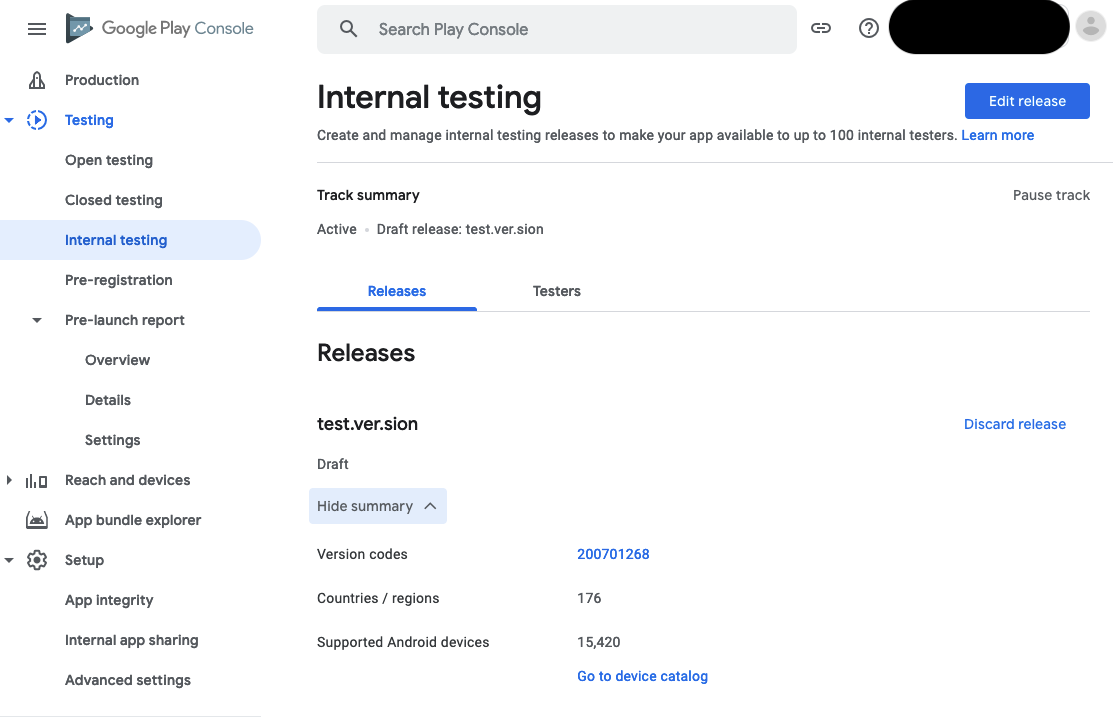
11:48:26 - Version codes:   200701268
11:48:26 - Staged rollout:  0% (draft)
11:48:26 - Update priority: (default)
11:48:26 - Release name:    (default)
11:48:26 - Release notes:   en-GB, zh-TW
11:48:26
11:48:26 Applying changes to Google Play...
11:48:30 Changes were successfully applied to Google Play
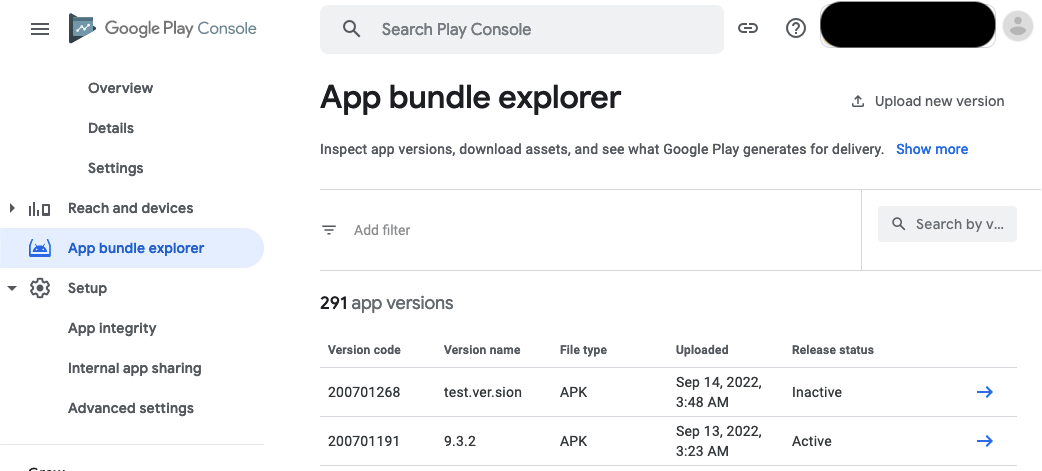
apk shown in App bundle explorer
as draft (0%) in internal release track
release name and release notes in edit release
18n for english release notes in review release
16:10:29 Failed to execute org.gradle.cache.internal.AsyncCacheAccessDecoratedCache$$Lambda$308/0x00000008004b6c40@7ca109ec.
16:10:29 org.gradle.api.UncheckedIOException: Could not add entry '/Users/jenkins/.gradle/caches/transforms-3/c1e8d385c310d60e608cd1b948ce68f4' to cache file-access.bin (/Users/jenkins/.gradle/caches/journal-1/file-access.bin).
16:10:29     at org.gradle.cache.internal.btree.BTreePersistentIndexedCache.put(BTreePersistentIndexedCache.java:162)
16:10:29     at org.gradle.cache.internal.DefaultMultiProcessSafePersistentIndexedCache.lambda$put$1(DefaultMultiProcessSafePersistentIndexedCache.java:67)
16:10:29     at org.gradle.cache.internal.DefaultFileLockManager$DefaultFileLock.doWriteAction(DefaultFileLockManager.java:216)
16:10:29     at org.gradle.cache.internal.DefaultFileLockManager$DefaultFileLock.writeFile(DefaultFileLockManager.java:206)
16:10:29     at org.gradle.cache.internal.DefaultCacheAccess$UnitOfWorkFileAccess.writeFile(DefaultCacheAccess.java:449)
16:10:29     at org.gradle.cache.internal.DefaultMultiProcessSafePersistentIndexedCache.put(DefaultMultiProcessSafePersistentIndexedCache.java:67)
16:10:29     at org.gradle.cache.internal.AsyncCacheAccessDecoratedCache.lambda$putLater$1(AsyncCacheAccessDecoratedCache.java:56)
16:10:29     at org.gradle.internal.concurrent.ExecutorPolicy$CatchAndRecordFailures.onExecute(ExecutorPolicy.java:64)
16:10:29     at org.gradle.cache.internal.CacheAccessWorker$2.run(CacheAccessWorker.java:185)
16:10:29     at org.gradle.internal.Factories$1.create(Factories.java:31)
16:10:29     at org.gradle.cache.internal.DefaultCacheAccess.useCache(DefaultCacheAccess.java:220)
16:10:29     at org.gradle.cache.internal.DefaultCacheAccess.useCache(DefaultCacheAccess.java:201)
16:10:29     at org.gradle.cache.internal.CacheAccessWorker.flushOperations(CacheAccessWorker.java:175)
16:10:29     at org.gradle.cache.internal.CacheAccessWorker.run(CacheAccessWorker.java:145)
16:10:29     at org.gradle.internal.concurrent.ExecutorPolicy$CatchAndRecordFailures.onExecute(ExecutorPolicy.java:64)
16:10:29     at org.gradle.internal.concurrent.ManagedExecutorImpl$1.run(ManagedExecutorImpl.java:48)
16:10:29     at java.base/java.util.concurrent.ThreadPoolExecutor.runWorker(ThreadPoolExecutor.java:1128)
16:10:29     at java.base/java.util.concurrent.ThreadPoolExecutor$Worker.run(ThreadPoolExecutor.java:628)
16:10:29     at org.gradle.internal.concurrent.ThreadFactoryImpl$ManagedThreadRunnable.run(ThreadFactoryImpl.java:56)
16:10:29     at java.base/java.lang.Thread.run(Thread.java:829)
清掉快取
rm -r $HOME/.gradle/caches/
java.nio.file.NoSuchFileException: /Users/jenkins/.gradle/caches/transforms-3
need to remove the whole .gradle folder to get it working
遇到 oom
java.lang.OutOfMemoryError: Java heap space
同時跑兩個 job 引起的
加記憶體
JAVA_OPTS="-XX:MaxPermSize=2048M"
但還是太吃力
 13:42:26 The root cause java.lang.OutOfMemoryError was thrown at: unknown
13:42:26 Java heap space: KtProperty:
改成上下游的方式